Lensmith PRIVATE BETA
RAW EDITOR FOR macOS

Develop anywhere. Upload nothing.

Denoise, deblur, upscale, depth bokeh, content-aware remove, colorize — six models, on your own machine. No upload, no queue, no credits to buy.
macOS 14.6 or later · All versions

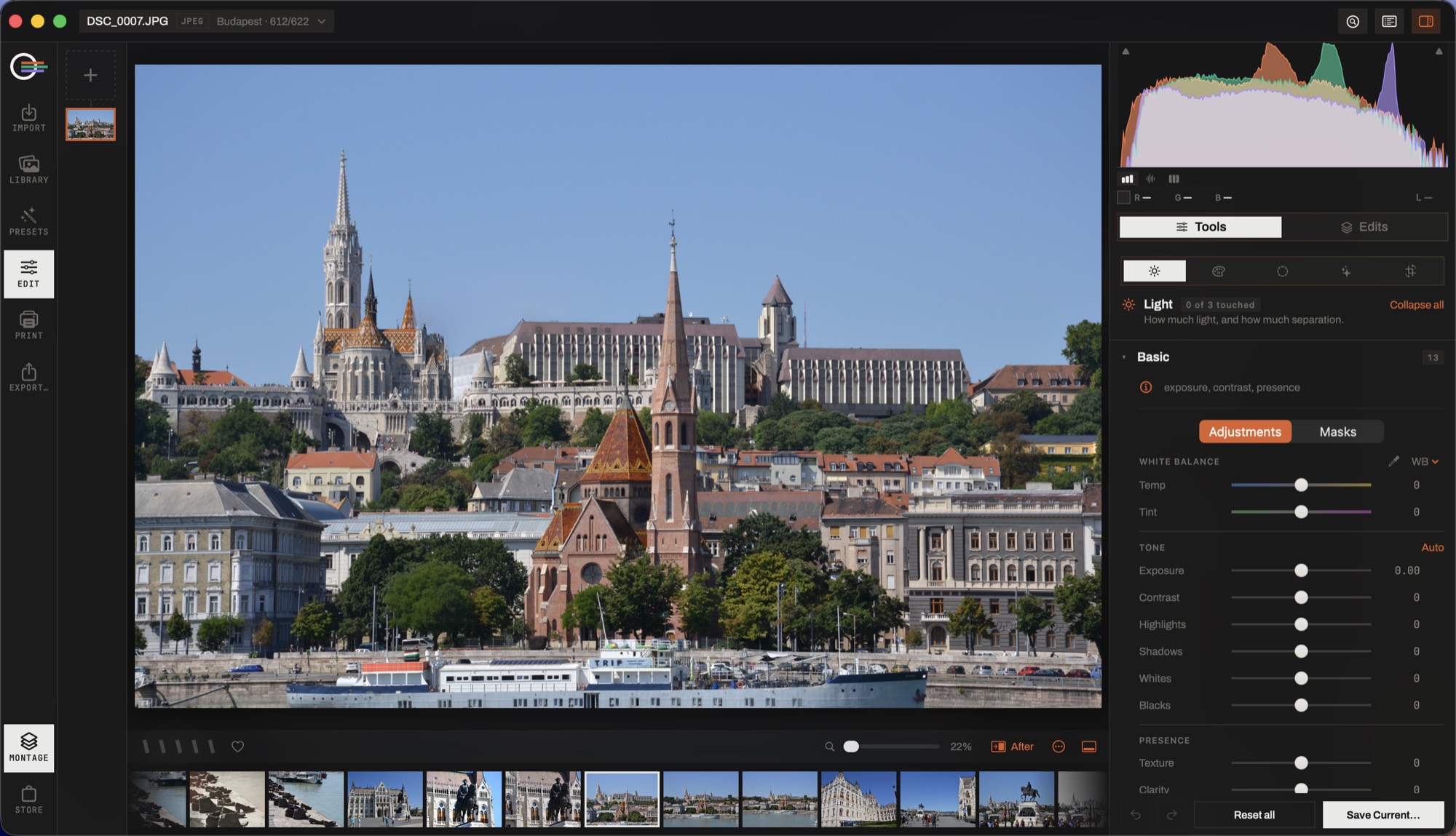
Lensmith's develop module: a photograph of Budapest on the canvas, the tool panel open on white balance and tone, the histogram pinned above it.
Develop — sliders, curves, masks and the AI tools on one non-destructive stack. The file on disk is never rewritten: an edit is a recipe, and it copies onto the next hundred frames.
THE APP

One window, from the card to the print

Lensmith catalogues the folders you already have, where they already are. It develops RAW and JPEG without ever rewriting the original, runs denoise, upscale, depth bokeh, remove and colorize on your own Mac, and lays the results out as photo books, calendars and posters — all from the same catalogue.
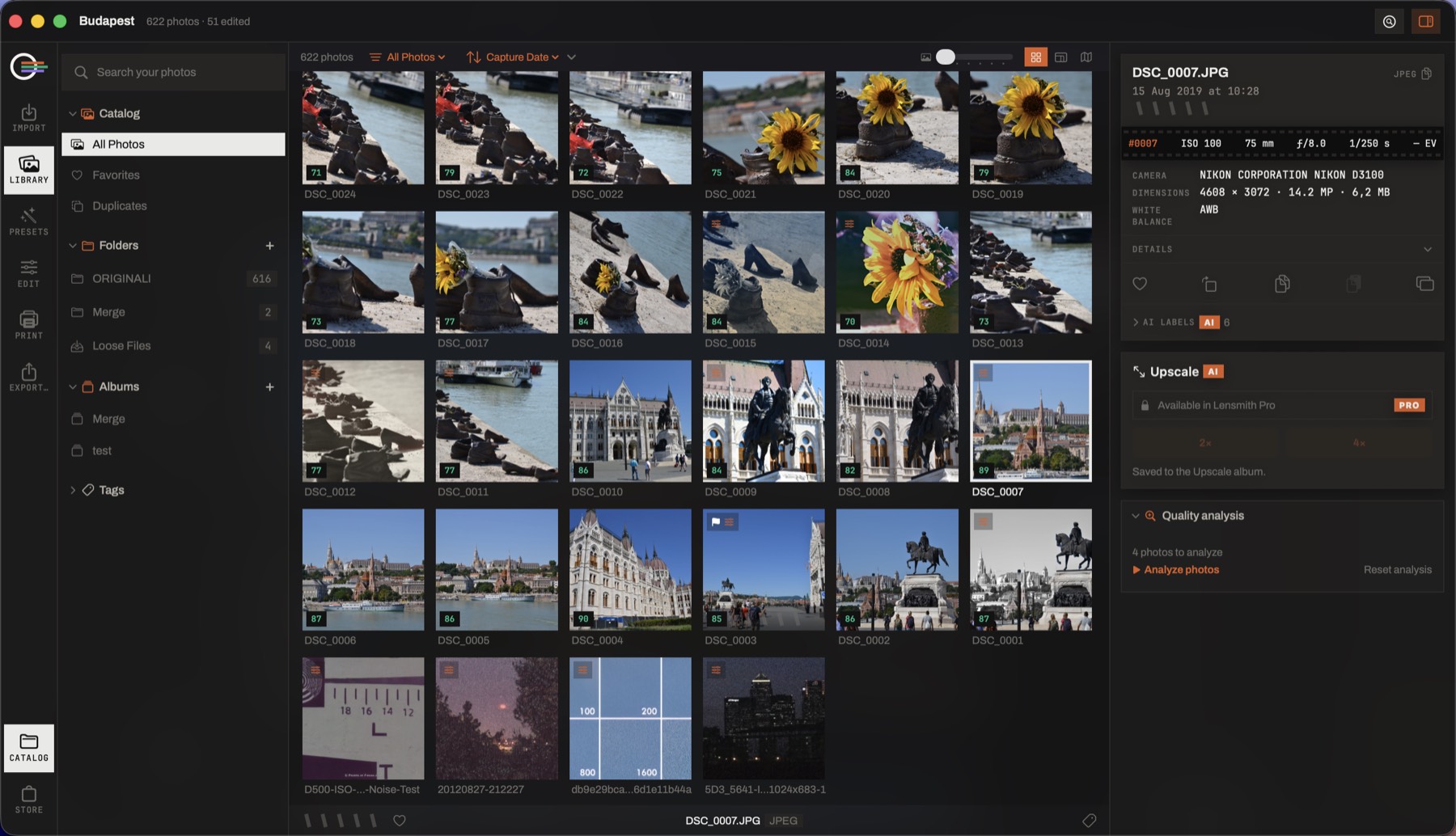
Lensmith's library: a grid of photographs with quality scores, collections and folders on the left, and the camera data of the selected frame on the right.
Library — your own folders, catalogued in place. Ratings, flags, albums, duplicates and search by what is in the picture, with nothing moved and nothing copied into a walled garden.
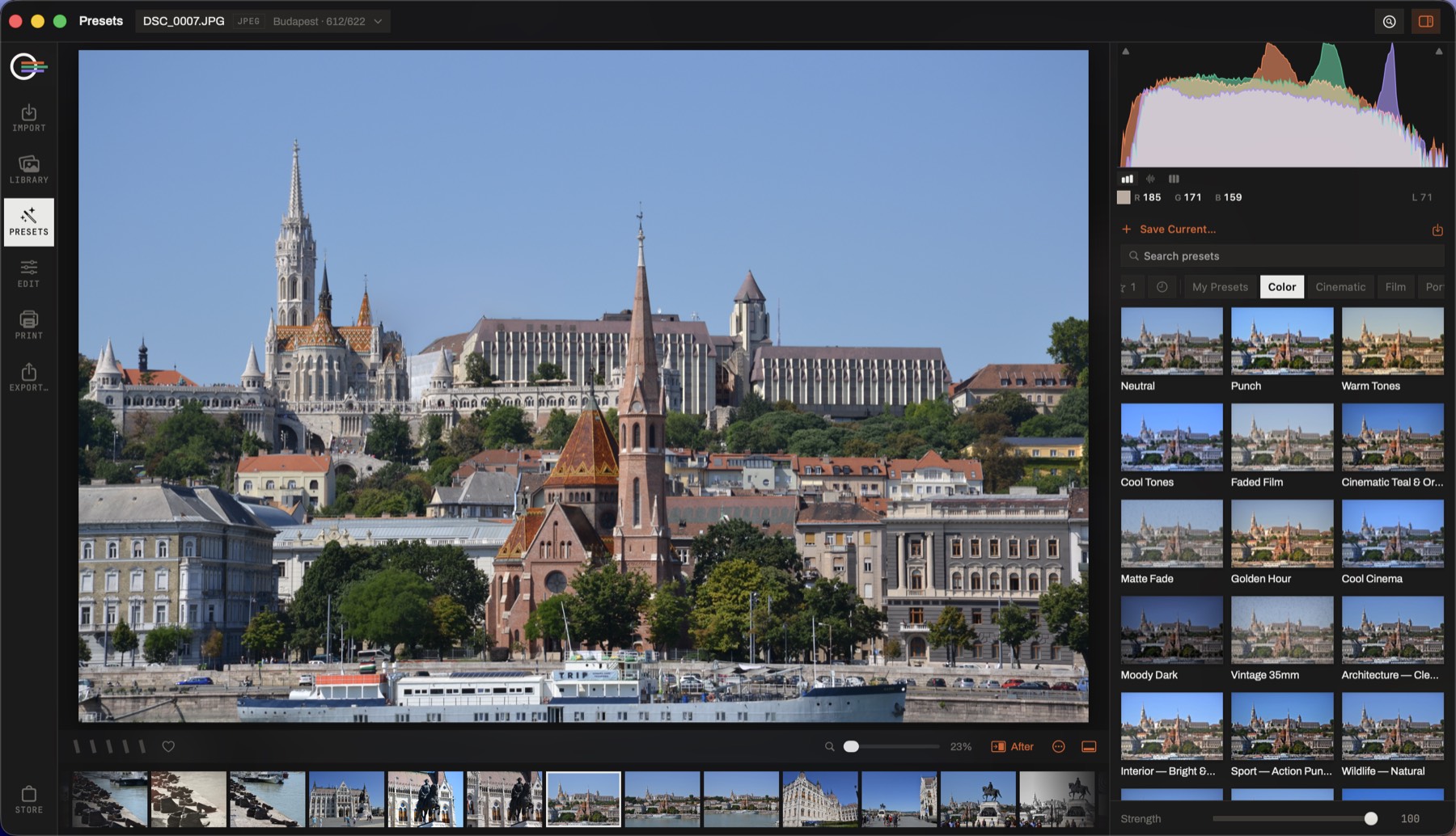
Lensmith's preset browser: each preset rendered as a thumbnail of the open photograph, with a strength slider at the bottom.
Presets — every look drawn on your own photograph before you choose one, applied at the strength you set. What lands on the photo is ordinary slider values, still yours to edit.
PRIVATE BETA

Take it for a shoot

Bring a real job to it — a folder you actually have to deliver. That's the only test that tells you anything. The build runs on invite codes: get in touch if you don't have one yet.