Keyboard shortcuts
The same list the app shows at ⌘/. Single-key shortcuts work while the photo area has keyboard focus — never while you are typing in a field.
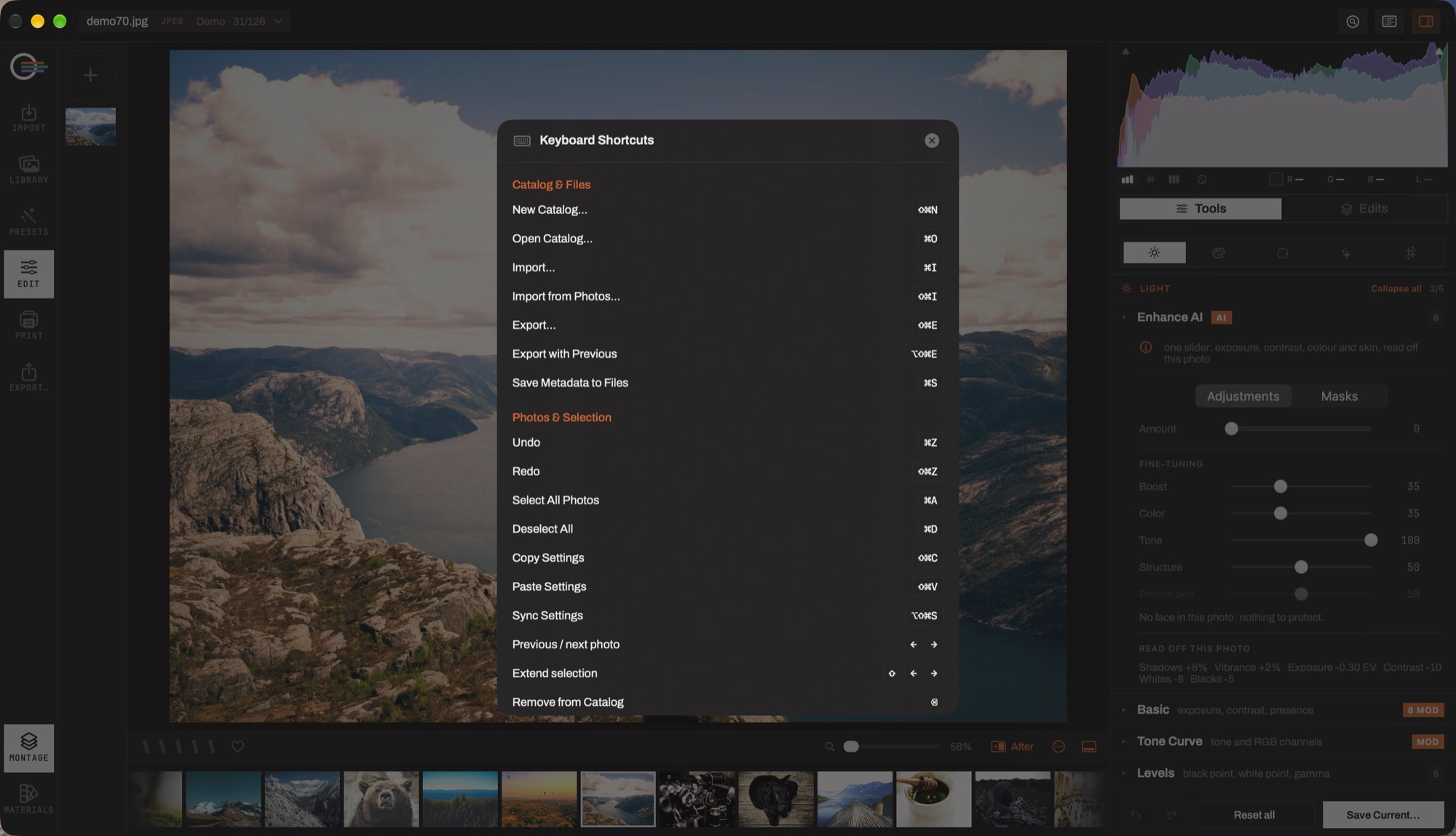
Catalog
- New catalog
- ⇧⌘N
- Open catalog
- ⌘O
- Import…
- ⌘I
- Import from Photos
- ⇧⌘I
- Export…
- ⇧⌘E
- Export with previous settings
- ⌥⇧⌘E
- Save metadata to files
- ⌘S
Photos
- Undo · redo
- ⌘Z⇧⌘Z
- Select all · deselect
- ⌘A⌘D
- Copy · paste settings
- ⇧⌘C⇧⌘V
- Synchronize settings across the selection
- ⌥⇧⌘S
- Previous · next photo
- ←→
- Extend the selection
- ⇧←→
- Remove from catalog
- ⌫
- Move to Trash
- ⌥⌫
Rating
- Rate 0–5 stars
- 0 – 5
- Colour label — red · yellow · green · blue
- 6 – 9
- Flag as pick
- P
- Set as rejected
- X
- Unflag
- U
View
- Grid
- ⌘1G
- Loupe
- ⌘2E
- Quick preview in the loupe
- Space
- Full-screen preview
- F⇧⌘F
- Compare the selection
- C
- Every pane at 100% on its face
- F
- Paint what is in focus
- S
- Go to…
- ⌘K
- Search photos
- ⌘F
- Keyboard shortcuts
- ⌘/
- Back · dismiss
- Esc
Layouts
- The Layouts screen
- ⌘E
- Beginner · Expert · Full screen
- ⌃1⌃2⌃3
- Choose a photo
- B
Loupe & editing
- Toggle zoom fit ↔ 100%
- ZSpace
- Zoom in · out
- ⌘+⌘−
- Crop & straighten
- R
- Brush size
- []
- Toggle before / after
- \
- Cycle compare modes
- Y
- Show · hide the mask overlay
- O
- Exit mask editing
- Esc
- Browse the book
- F
- Select all elements on the page
- ⌘A
- Delete the selected elements
- ⌫
- Cut · copy · paste an object
- ⌘X⌘C⌘V