Settings
Nine tabs. Most of them you will set once.
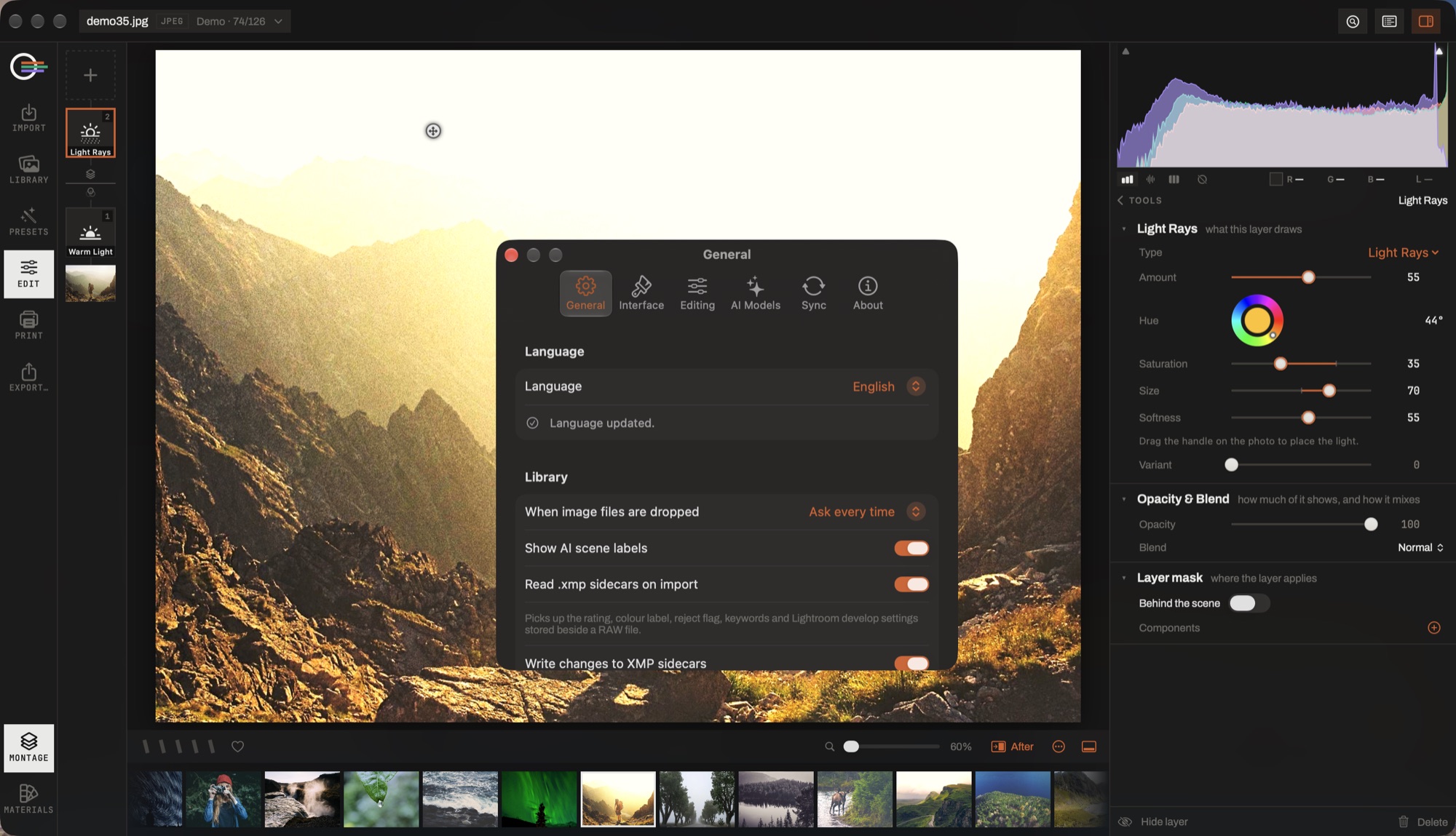
- The tabs. General, Interface, Editing, AI Models, Sync, About.
- Language. The interface language, chosen here rather than followed from the system — and it is the language every caption, date and book heading is baked in.
- When image files are dropped. Reference in place, copy into the library, or ask every time.
- Show AI scene labels. Whether what the scene index found appears in the information column.
- .xmp sidecars. Reading one picks up the rating, colour label, reject flag, keywords and Lightroom develop settings stored beside a RAW; writing puts yours back where another application will find them.
The tabs
- General
- Language (applied at the next launch), what happens when image files are dropped on the window, and the format merges and upscales are written in — JPEG, or 16-bit TIFF.
- Interface
- Accent colour — the four inks of the marque — interface lightness, window translucency, the panel style for the tool column, and whether AI scene labels are shown.
- Editing
- The XMP sidecar rules: read on import, write as you go, include the full edit. Plus a command to bring every sidecar into line now.
- AI Models
- Every model with its size and state, download and delete per model, and whether missing ones are fetched at launch.
- Sync
- Your own libraries — presets, gradients, book backgrounds, and optionally LUT profiles and textures — kept in step between your Macs through your own iCloud account. It spends your iCloud storage, not a service of ours, and it is off until you turn it on.
- Notifications
- Whether a long job tells you when it has finished.
- Privacy
- Anonymous usage statistics, on or off.
- Support
- Report a problem, and the thread of anything you have already reported.
- About
- Version, website, and the open-source licences.
About Sync
It carries the libraries that belong to you rather than to a catalog, so a preset saved on one Mac is there on the other. It never carries your photographs or your catalogs.
The heavy half — LUT profiles and imported textures — is opt-in separately, and turning it off deletes that zone from your iCloud storage without touching one local file on any machine. A vanished zone means "heavy sync is off", never "delete your LUTs".