Books, calendars & posters
One engine, four products: a photo book, a calendar, a postcard and a poster, laid out from the same catalog and exported as a PDF a printer will take.
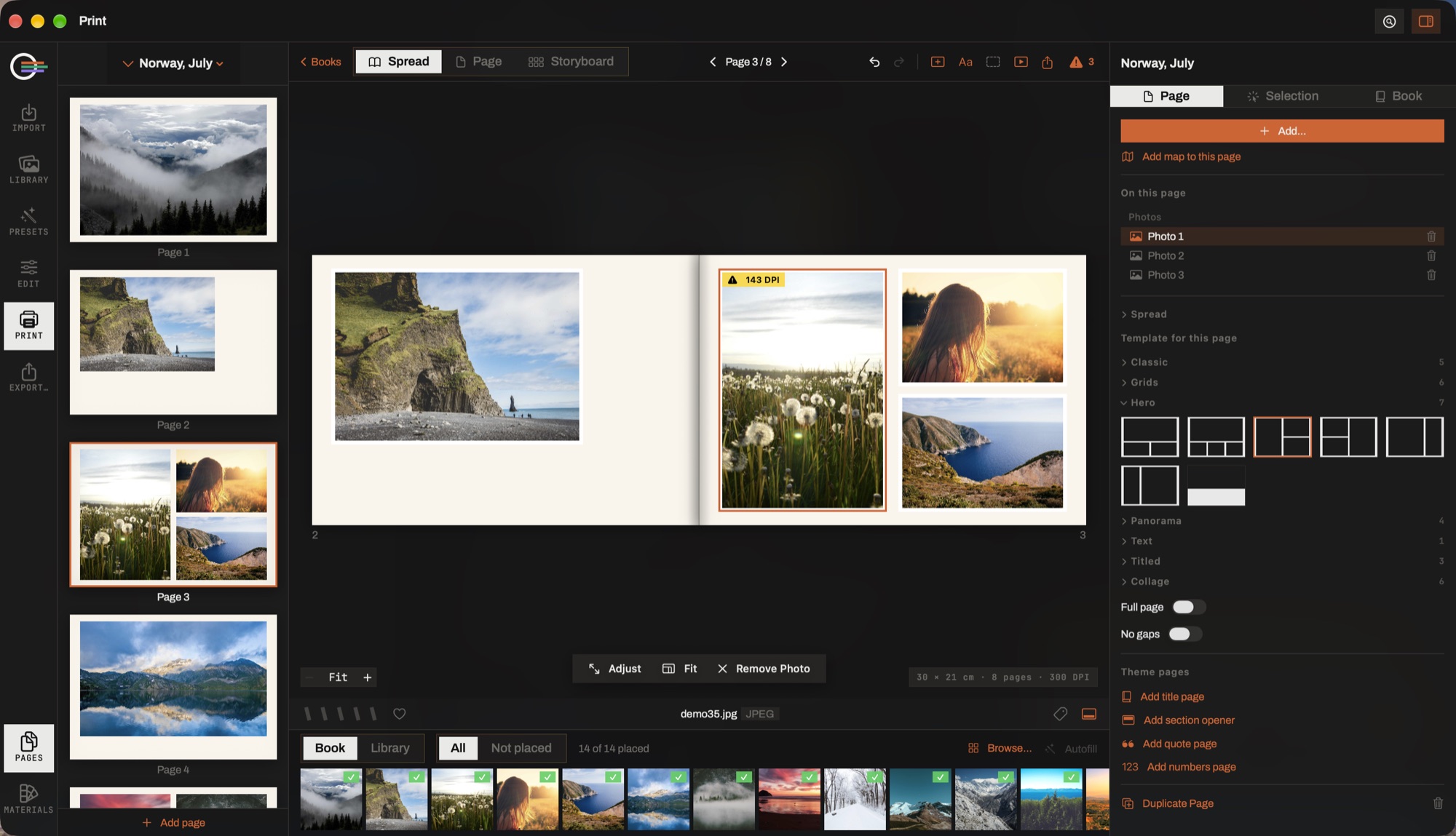
- The pages column. Every page as it will print, in order. Drag to reorder, click to open.
- Spread · Page · Storyboard. The open wrap, one sheet on its own, or the whole book at once.
- The canvas. What prints. Photographs, text, widgets and ornaments are all movable, resizable and deletable, and an object may cross the crease.
- Page · Selection · Book. The page itself, whatever you last tapped, and the book-wide switches. Everything you select edits in the same tab.
- Template for this page. The layout families — Classic, Grids, Hero, Panorama, Text, Titled, Collage — with full-bleed and gutterless under them. Words you typed move with their slot; a re-layout never deletes them.
- The tray. What is in the book and what is not placed yet, with a Library lens for adding more without leaving the module.
The shelf
The module's home: every document as a card with its cover, and a row that creates a new one. The shelf is the product chooser — there is no intermediate dialog asking what kind of thing you want before you can see what you already have.
Creating asks three things: a title, a format, and a theme. A new book is born empty and then asks you for photographs; the first batch lays itself out.
Filling it
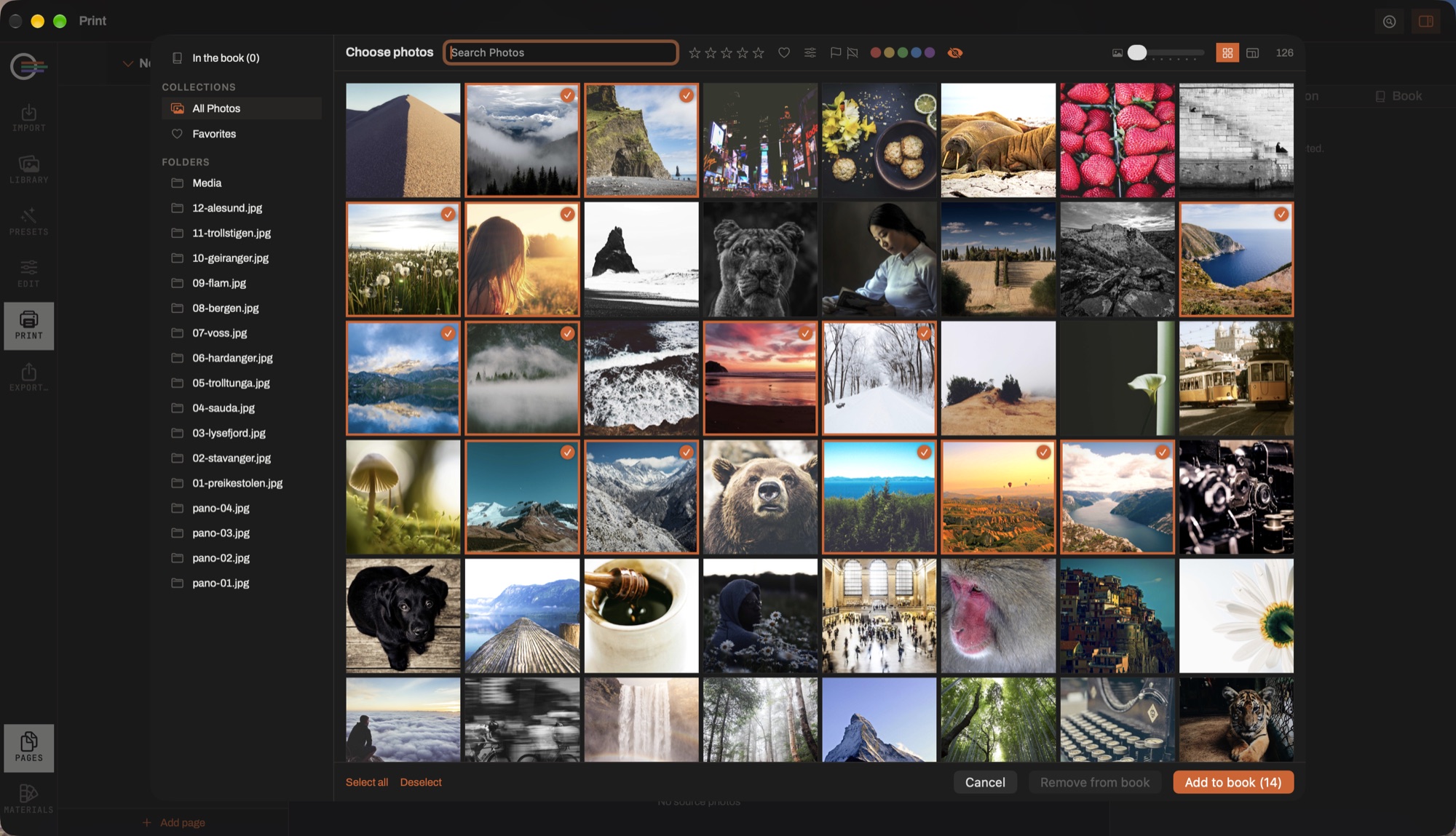
- Autofill
- Places only what is not placed yet, and appends — it never touches a page you arranged by hand.
- Re-flow
- The destructive whole-book tool. It says so before it runs.
- The tray
- Replaces the filmstrip in this module: every photograph in the book with a badge for how often it is used, a filter for the unplaced, and a lens that switches to the library so you can add more without leaving.
The flow is not a grid filler. It chooses a layout per page from the shapes of the photographs on it, gives the biggest frame the best photograph, keeps the chronology across pages, remembers what it has used so the book does not settle into two alternating layouts, gives a standout photograph a page of its own, breaks the sequence into sections with their own title pages, and closes a trip with its route and its figures.
Before any of that, two passes decide what goes in: rejects out, the same file once, one frame per burst. Nothing is deleted — what it leaves out stays in the tray, listed as unplaced, and it says how many there were.
Themes
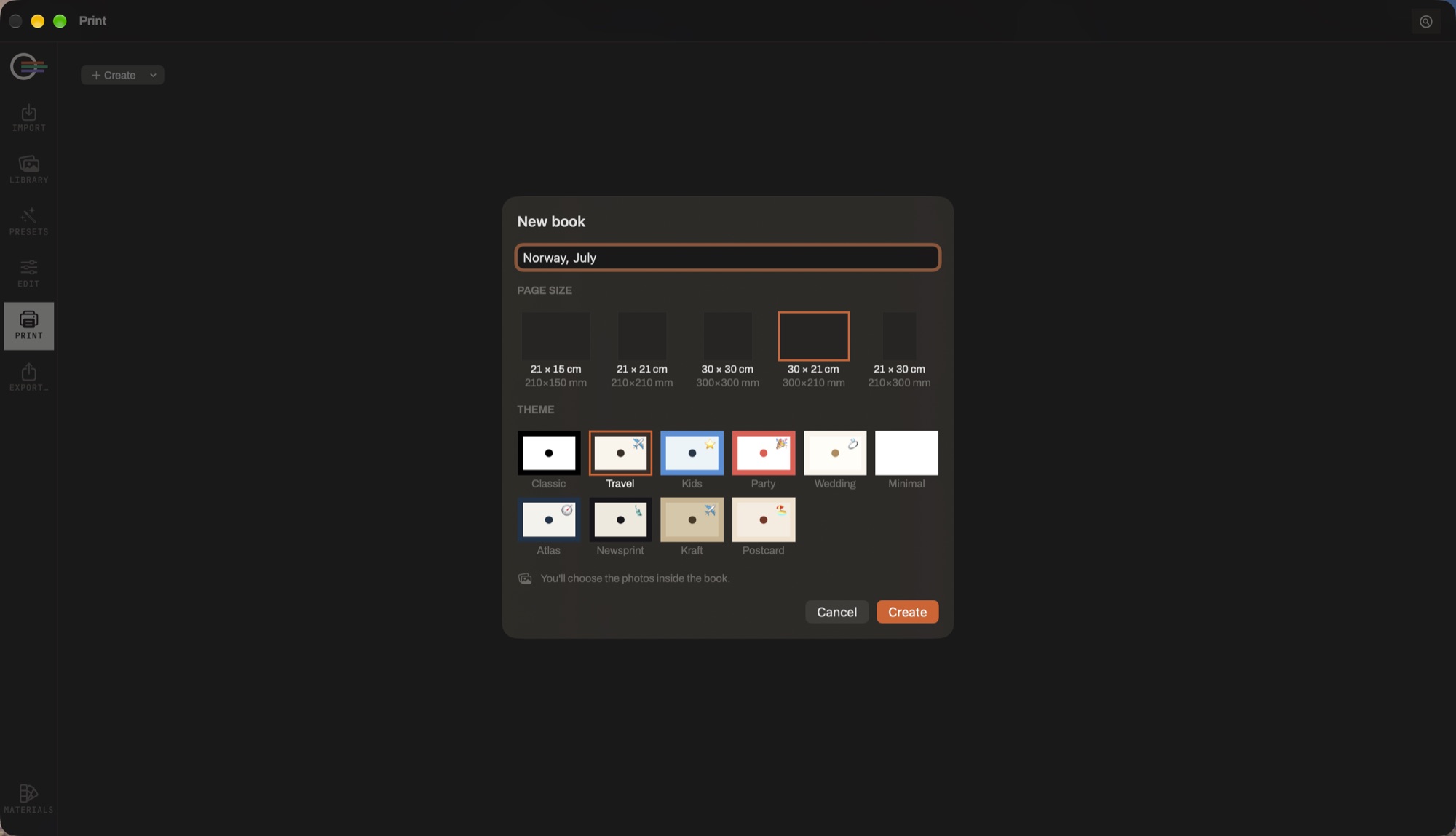
A theme is a whole look rather than a colour: the paper, the decorative background art, the cover, the title face and ink, the photo-frame recipe, a sticker palette and a pool of layouts. Ten ship — Classic, Travel, Children, Party, Wedding, Minimal, Atlas, Newsprint, Kraft and Postcard.
Applying one re-paints the whole book in a single undoable step, and what it writes is ordinary values you can then change page by page. Each theme also contributes ready-made pages — a frontispiece, a section opener, a quote page, a numbers page — one tap each.
What a page holds
- Photo frames
- The layout's cells. Each has a frame style (line, double, matte, polaroid), a border, corners, a shadow and its own tilt; the photograph inside zooms and pans.
- Text
- Free text boxes, plus the managed ones — captions and page numbers — behind their own switches. Any installed font.
- Elements
- Twenty-one ornaments in eight categories: frames, rules, tapes, stamps, the postcard's card. Everything on a page is movable, resizable, recolourable and deletable, including what a background recipe placed.
- Widgets
- Itinerary, trip facts, shot details, a calendar month, a QR code, a boarding-pass ticket and seven rubber stamps. The app bakes the rows; you own them afterwards, and Update re-bakes.
- Map
- The trip as a route through its stops rather than a scatter of dots. It drags and resizes like anything else, filters to one day, re-reads the book's current photographs and picks its cartography.
- Background
- Paper colour, a texture with its own blend and opacity, and the ornaments a saved recipe places. Your own recipes save to a library.
A page can go full page — a margined layout stretched edge to edge — and no gaps, which closes the gutters between its photographs. Together they make a seamless mosaic. On an open spread an object crosses the crease by being dragged across it.
Checking and exporting
F browses the book with no chrome and no guides — the honest pre-print preview. Print Check reports low-resolution photographs and anything outside the safe margin.
- Print PDF
- The interior plus a separate cover file, at 300 DPI with bleed. What a printer asks for.
- Screen PDF
- One flattened file, for sending to somebody.
The export sheet says in words what each preset writes, shows per-page progress, and reveals the files in the Finder when it is done.