Map & places
The map is the same filtered set as the grid, drawn where the photographs were taken. It is a surface you select from, not a poster.
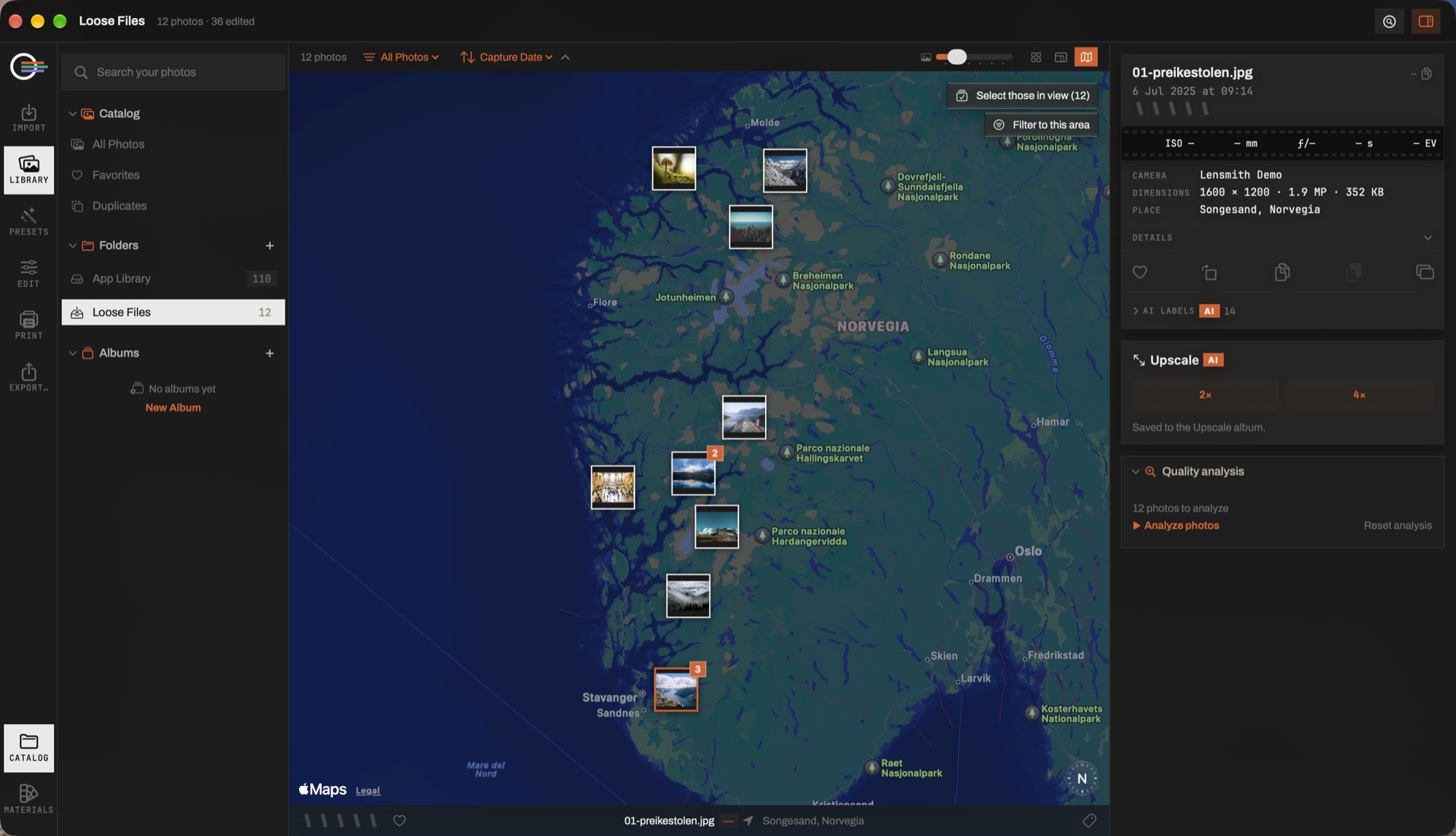
- The annotations. One per place rather than one per photograph — a badge counts what is stacked there, so three hundred frames of one city are not a red blob.
- Select those in view. The camera's window becomes the selection, and everything the Library can do then applies to it: rate, flag, album, export, merge, send to a book.
- Filter to this area. The window becomes an ordinary filter that composes with the sidebar scope, shows in the filter bar and clears with the rest. It never becomes a mode you cannot switch off.
- The information column. The focused photograph's place, read from its coordinates. Dragging a photograph onto the map from the filmstrip geotags it by hand — the fix goes in the catalog, never into your file.
Selecting on the map
Pins cluster, and a cluster carries a thumbnail. ⌘- or ⇧-click adds a photograph — or a whole cluster, everything taken here — to the selection, and from there every Library action applies: rate it, flag it, put it in an album, export it, send it to a book.
Select those in view hands the camera's current window to the same selection, replacing what was selected the way ⌘A does.
The map follows the browse: the focused photograph is fronted in its cluster, and the camera re-centres when focus lands on something off screen — only off screen, so clicking a pin never makes the map jump under your hand.
Filtering to an area
Filter to this area turns the visible window into an ordinary filter. It composes with the sidebar scope and the rest of the filter bar, it shows in the filter bar, and it clears with the others — so it can never become a mode the map owns and the grid cannot switch off.
The map itself is never filtered by its own area: it is the control that picks the box, and filtering it by that box would mean seeing only the window's own photographs and never being able to pan out and re-aim it.
Geotagging by hand
Photographs with no fix can be placed: drag them from the filmstrip onto the spot they were taken. It works on a whole selection at once.
The location goes in the catalog, never into the file — the same rule every other edit follows — and an annotation's own menu offers Remove location, because a mis-drop on a photograph that had no fix is otherwise irreversible.